Styrite Styrite
Styrite Desktop

Styrite, right on your desktop.

A real chat app with your conversations on your computer, Quick Ask from any window with one shortcut, and your coding agents connected in a click.

Checking downloads
Free with your Styrite account

Also for Windows, macOS and Linux.

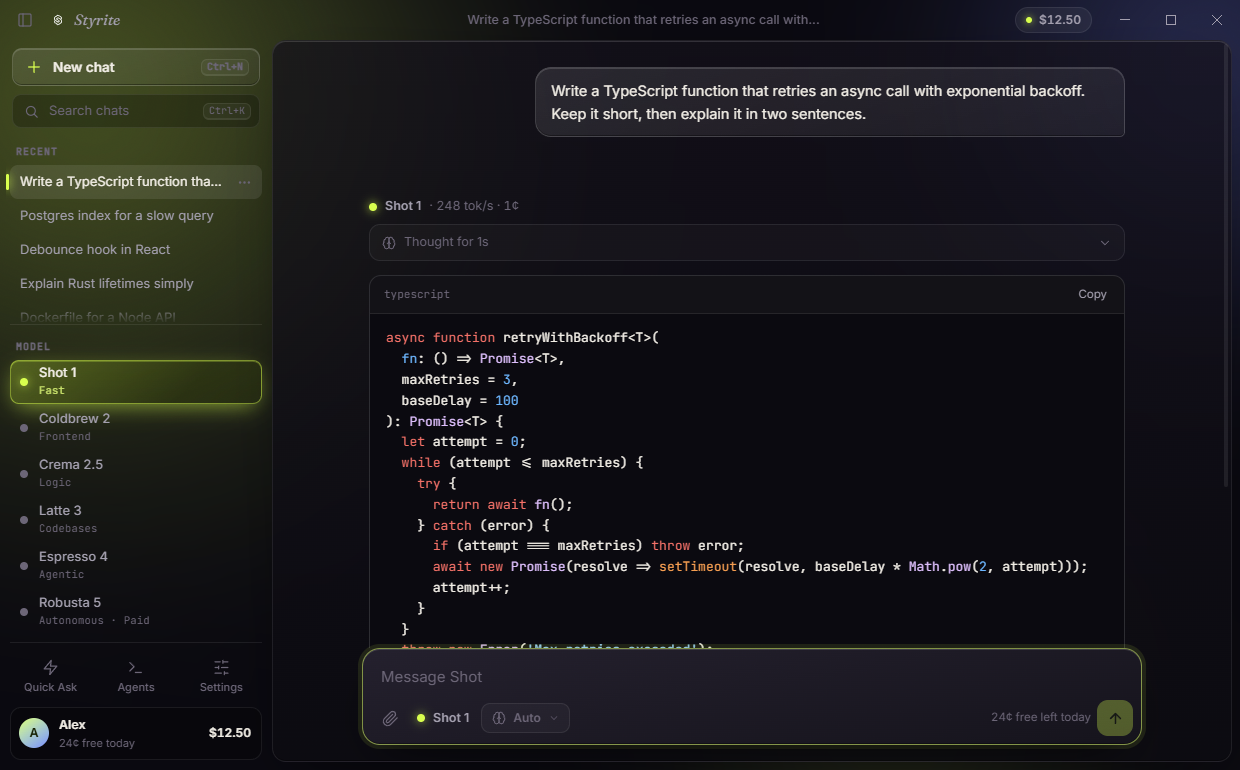
Styrite Desktop showing a conversation, recent chats and the six Styrite models in the sidebar

What you get

Everything Styrite does, built for your desktop.

Same account, same models, same credits and Super perks as the web app. Just faster to reach.

Open a folder, let Styrite work on it

Drag a project onto the window, paste a path, or type @ to pick a file. With Super or credits the agent reads, searches and edits your files and runs your tests, one approval at a time, with byte-exact undo. Free accounts chat with their files and apply a few edits a day. Secrets like .env files are never opened.

A proper chat app

All five models one click away in the sidebar, with reasoning, images and web answers in a native window that has its own title bar, shortcuts and right-click menus.

Quick Ask, anywhere

Press Ctrl Shift Space in any app for a small answer window. Keep going in the full chat with one click.

Coding agents in one click

Connects OpenCode, Pi and omp for you, backs up their config and undoes cleanly. Guided steps for Cursor, Cline and Hermes.

Credits at a glance

Your balance and plan live in the tray, and topping up happens right inside the app.

Private by default

Conversations are saved on your computer, never on our servers. The app's key sits in your system keychain.

Sign in with your browser

No password typed into the app. Approve a short code in your browser, and revoke the device anytime from API access.

Get started

Up and running in a minute.

Install

Download the installer for your system below and run it. No admin rights needed on Windows, and it keeps itself up to date after that.

Sign in

Click Sign in with your browser, check the code matches, and approve.

Ask away

Chat in the app, or press Ctrl+Shift+Space from anywhere for Quick Ask.

Downloads

Pick your system.

All builds are 64-bit.

Questions

Good to know.

Windows says it protected my PC. Is that normal?

Yes, for now. Windows shows that for new apps it hasn't seen many installs of yet. Click More info, then Run anyway. You can check the file matches the SHA-256 listed above before running it.

Does it cost anything?

The app is free. Chats use your Styrite account exactly like the web app: your free daily budget first, then credits, and Super members stay unmetered. Coding agents are billed from credits like any API call.

Where are my conversations stored?

On your computer, in the app's own folder. They aren't uploaded anywhere and aren't shared with the web app, which keeps its chats in your browser.

What does it need?

Windows 10 or 11 (64-bit), macOS 11 or later, or a 64-bit Linux desktop. On Linux, the .deb suits Ubuntu and Debian, and the AppImage runs almost anywhere. Quick Ask's shortcut needs an X11 session on Linux.

How do I sign out or remove it?

Sign out from the app's Settings, which also revokes its key. You can revoke any device from the API access page too. Uninstall it like any other app.